Most writers don’t fail because they lack ideas. They fail because they lack structure. The blank page is merciless. Without a clear path forward, even the most passionate authors stall—mid-chapter, mid-idea, or before they even begin. A well-designed template to write a book isn’t a shortcut. It’s the scaffolding that turns ambition into a finished manuscript.
Templates do more than organize thoughts. They enforce discipline, prevent plot holes, and align your message with the reader’s expectations. Whether you're drafting a memoir, a business guide, or a fantasy novel, a solid book writing template transforms chaos into coherence.
But not all templates are created equal. The best ones go beyond basic chapter outlines. They guide narrative flow, character arcs, pacing, and tone—while still leaving room for creativity.
Let’s break down how to use a template effectively, what to include, and how to adapt it across genres.
Why a Book Template Beats Starting from Scratch
Starting without a plan is like building a house without blueprints. You might end up with walls, but will they support the roof?
A template gives you:
- Clarity on structure: Know where your story or argument begins, peaks, and resolves.
- Efficiency in drafting: Reduce decision fatigue by having a predefined outline.
- Consistency in tone and pacing: Maintain rhythm across chapters.
- Easier revisions: Identify weak sections early.
Writers who use templates report faster completion times and higher-quality drafts. That’s not because they’re less creative—it’s because they’re less distracted by structural uncertainty.
Common mistake: Using a novel template for a self-help book. Templates are genre-sensitive. A memoir needs emotional beats; a how-to guide needs actionable steps. Choose accordingly.
Core Components of an Effective Book Template
A strong book template isn’t just a list of chapters. It’s a living document with layered components tailored to your genre.
#### 1. Concept & Premise Section Start with a one-sentence summary of your book. This forces focus.
Example (fiction): “A disillusioned spy must prevent a coup while confronting her past betrayal.” > Example (nonfiction): “A practical guide to building mental resilience using neuroscience-backed habits.”
Include target audience, tone (e.g., conversational, authoritative), and key takeaways.
#### 2. Chapter-by-Chapter Outline This is the backbone. Each chapter should have:
- Title (can be placeholder)
- Purpose (What does this chapter do?)
- Key points or plot events
- Word count target
- Connections to other chapters
For nonfiction: Use a problem → solution → action format. For fiction: Apply a beat-based structure (inciting incident, midpoint twist, climax).
#### 3. Character or Voice Development (Fiction & Memoir) Even templates for nonfiction benefit from voice consistency.
Include for each major character or persona: - Backstory - Motivation - Arc (how they change) - Voice quirks (speech patterns, beliefs)
For self-help authors: define your “author voice” — are you mentor, coach, or peer?
#### 4. Pacing & Tension Tracker Especially vital for fiction and narrative nonfiction.
Use a simple scale (1–5) to rate: - Emotional intensity - Plot progression - Reader engagement
This helps avoid sagging middles or rushed endings.
#### 5. Research & Source Log Keep track of references, quotes, data, or interviews. Embed this into your template so updates are centralized.
How to Adapt a Template to Your Genre
One size doesn’t fit all. Here’s how templates shift across formats:
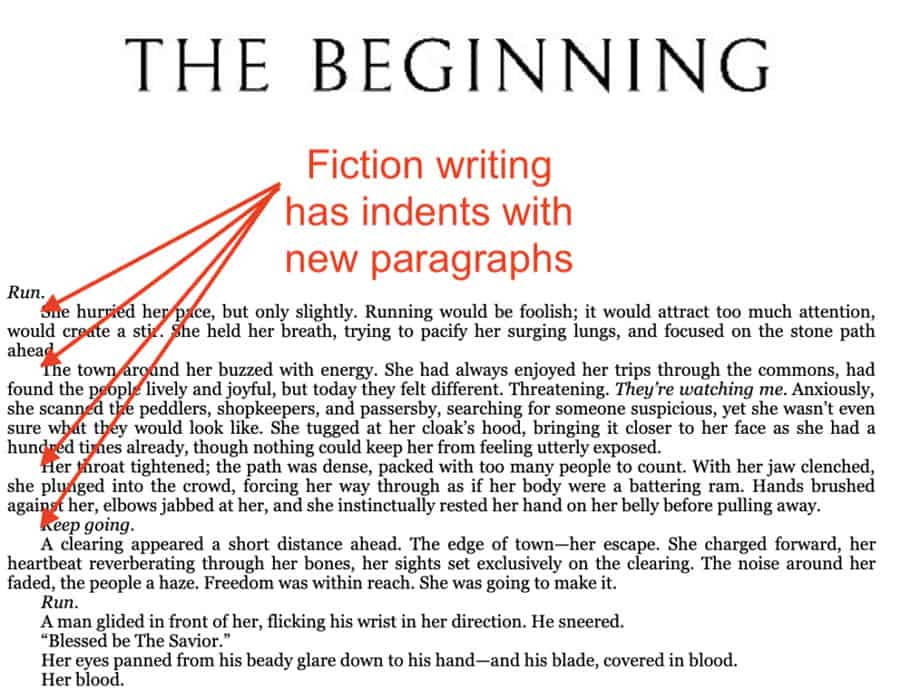
#### Fiction Template - Scene-level breakdowns - Character arcs mapped per chapter - Setting notes - Dialogue cues - POV tracking
Tip: Use a “beat sheet” like Save the Cat or the Hero’s Journey as a base, then customize.
#### Nonfiction (How-To or Self-Help) - Chapter goals aligned with reader outcomes - Exercise or action step prompts - Case studies or examples - Data or citation placeholders
Example: Chapter on “Overcoming Procrastination” includes: - Definition of task paralysis - 3 real-world triggers - One reflection exercise - One behavioral strategy
#### Memoir or Personal Essay Collection - Timeline of key life events - Emotional beats per chapter - Theme tracking (e.g., identity, loss, growth) - Narrative voice consistency checks
Use case: A memoir about recovery uses the template to ensure each chapter builds toward resilience, not just recounts pain.
#### Business or Leadership Book - Core thesis per chapter - Industry examples - Leadership principles - Application questions for readers
Pro tip: Align chapters with audience pain points—e.g., “Hiring Mistakes” → “Scaling Too Fast” → “Culture Erosion”
How to Build Your Own Book Writing Template
You don’t have to rely on generic templates. Build one that matches your process.
Step 1: Reverse-Engineer a Book You Admire Pick a book in your genre. Outline it chapter by chapter. Note: - How long are chapters? - How are transitions handled? - Where do examples appear? - How is tension built?
This becomes your structural blueprint.
Step 2: Define Your Workflow Stages Break your writing process into phases: - Research - Drafting - Revising - Polishing
Create template sections for each. For example, your drafting template might include: - Daily word count goals - Scene notes - “To-review” flags
Your revision template might include: - Pacing checks - Repetition alerts - Clarity notes
Step 3: Use Digital Tools to Enhance Your Template Platforms like Notion, Scrivener, or Google Docs can host dynamic templates.
Notion example: Create a database of chapters with toggles for status (draft, revise, final), word count, and feedback.
Scrivener tip: Use the corkboard view to drag and rearrange chapters visually—ideal for pacing fixes.
5 Templates and Tools to Write a Book Effectively
Don’t start from zero. Leverage proven frameworks:
| Tool/Template | Best For | Key Features |
|---|---|---|
| Snowflake Method Template | Fiction writers | Starts with one sentence, expands to full outline |
| Save the Cat! Beat Sheet | Novelists, screenwriters | 15 story beats mapped to timing |
| Bookmap by Author Media | Nonfiction authors | Goal-driven chapter planning |
| Notion Book Writing Template | Organized planners | Custom databases, progress tracking |
| Scrivener’s Built-in Templates | All genres | Genre-specific scaffolds, compile options |
Each offers a different approach. The Snowflake Method builds complexity gradually—ideal for planners. Save the Cat! suits writers who think in narrative arcs. Notion templates excel for visual organizers.
Limitation alert: Over-reliance on templates can stifle spontaneity. Use them as guides, not prisons. If a character takes an unexpected turn, adjust the template—not the story.
Common Template Pitfalls (And How to Avoid Them)
Templates fail when they’re misapplied or too rigid.
Pitfall 1: Over-Structuring Too Early Don’t template before you’ve explored your idea. Spend time brainstorming first—then structure.
Pitfall 2: Ignoring Your Natural Voice A template should support your voice, not erase it. If your outline feels robotic, rewrite the language to match how you speak.
Pitfall 3: Treating the Template as Final Your first draft template will evolve. Allow room for iteration. Mark sections as “flex” or “TBD.”
Pitfall 4: Copying Celebrity Author Templates Blindly Just because James Patterson uses a 3-page outline doesn’t mean it’s right for your literary novel. Match the method to the genre.
How to Use a Template in Your Daily Writing Routine
A template isn’t just for prep—it’s a daily tool.
- Start each writing session by:
- Opening your template
- Reviewing the chapter goal
- Checking word count targets
- Scanning for unresolved plot or logic threads
At the end of the session: - Flag incomplete sections - Update progress in your tracker - Jot down ideas for next steps
Realistic workflow: Monday: Draft Chapter 5 (1,200 words) Tuesday: Review template, check pacing, revise opening Wednesday: Fill research gaps in Chapter 6 Thursday: Write new scene based on beat sheet
This rhythm keeps momentum without burnout.
Make the Template Work for You—Not the Other Way Around
A book writing template isn’t about conformity. It’s about freedom through structure. The goal isn’t to write like someone else—it’s to write your book, clearly and completely.
Start simple. Use a blank document with three columns: Chapter, Purpose, Key Points. Expand as needed. Borrow from proven systems, but personalize ruthlessly.
When you hit a wall, return to the template. It won’t write the book for you—but it will keep you moving forward.
Now open your document, define your first chapter’s purpose, and write the next sentence. Then the next. The template is ready. The book begins now.
Frequently Asked Questions
What is a book writing template? A structured outline that guides the development of a manuscript, including chapter plans, character details, and narrative or argument flow.
Can I use a template for both fiction and nonfiction? Yes, but adapt the components. Fiction templates focus on plot and character; nonfiction on logic, evidence, and reader action.
Do professional authors use templates? Most do—whether formal or informal. Even “pantsers” often create retroactive outlines to maintain coherence.
How detailed should a book template be? Detailed enough to guide writing, but flexible enough to allow creativity. Include purpose, key points, and targets—avoid scripting every sentence.
Can a template kill creativity? Only if it’s too rigid. Use it as a compass, not a cage. Allow room for discovery and deviation.
Where can I find free book writing templates? Sites like Canva, Notion, and authors like Joanna Penn or Reedsy offer free, downloadable templates for various genres.
Should I stick to my template once I start writing? Use it as a foundation, but revise it as your book evolves. A good template grows with the manuscript.
FAQ
What should you look for in How to Use a Template to Write a Book That Stands Out? Focus on relevance, practical value, and how well the solution matches real user intent.
Is How to Use a Template to Write a Book That Stands Out suitable for beginners? That depends on the workflow, but a clear step-by-step approach usually makes it easier to start.
How do you compare options around How to Use a Template to Write a Book That Stands Out? Compare features, trust signals, limitations, pricing, and ease of implementation.
What mistakes should you avoid? Avoid generic choices, weak validation, and decisions based only on marketing claims.
What is the next best step? Shortlist the most relevant options, validate them quickly, and refine from real-world results.